When I first got my iMac about 2 years ago, I wanted it to have all the data that was on my Windows machine, including all Outlook data (which went back several years). So, I spent a lot of time trying out different syncing options. I managed to force syncing to work, but it was a huge pain in the butt. Lots of duplicate records to square away. And, in the end, I wasn’t very happy with the Mac’s calendar, task, and contact apps anyway. (iCal does okay for calendaring, but is weak for tasks. It works for tasks, but the interface is nowhere near as good as what I was accustomed to with Outlook.)
So, instead of continuing to fool with syncing data, I decided to just install VMware Fusion on my iMac and have it run Windows, so I could use Outlook while setting at my iMac. (I had a second license for Windows and for Microsoft Office, so setting them up within a virtual machine interface on my Mac did not cause activation problems.) If you want to do something similar, my write-up on it is here.
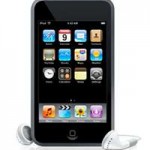
But when I got an iPod Touch, I wanted it to be my PDA. Since I use my iMac 90% of the time, and my Windows laptop only about 10%, I set up my iPod Touch through iTunes on the Mac. For a while I tried using Apple’s MobileMe interface to sync to the Touch. To make this work, I had to update iCal and Contacts on my Mac. That wasn’t too brutal. And, if I wanted to check my calendar while on my laptop, I just used the MobileMe calendar.
Then it came time to renew my MobileMe account, and I decided it was no longer worth $99/year for what little I was getting out of it. I went with Google’s free option instead. So, here is what I use now:
- Google Calendar Sync to sync the Calendar and Contacts data from Outlook into Google Calendar and Contacts. (I have it set up as a 2-way sync, so changes to one propagate to the other.)
- Google Sync Mobile keeps my iPod Touch’s built-in Calendar and Contacts apps in sync with Google Calendar and Contacts (and therefore with Outlook)
- Appigo’s Todo app for the iPhone/Touch syncs with Tasks that I keep either in Remember The Milk or in Toodledo. Although I started out using RTM, I decided to go with Toodledo. I like how easy it is to import Tasks from Outlook into Toodledo (imports but does not sync) and I like the Toodledo interface much better. The RTM Pro account supposedly lets you sync with Outlook, but when I tried an early version of their sync interface, it ate half of my tasks.
Now, whenever I am online, be that on the Mac or my Windows laptop, I can check/modify my Google Calendar/Outlook data and my Toodledo Tasks data. If I am offline, I can use my iPod Touch for this.
And, just for the heck of it, I use the Windows Mobile Device Center on my Laptop to sync Calendar and Contact data from Outlook with my old Dell x51v Pocket PC. If I modify data on the x51v, it gets reflected back into Outlook, and from there to Google Calendar/Contacts, and ultimately to my iPod Touch. Since I do not have a good way of syncing tasks between all of these, I do not use the Tasks within the Pocket PC.
And, since I still use a BlackBerry Curve (I will transition to an iPhone when the 3.0 version comes out in a month or two), I use Google Sync for BlackBerry to sync Google Calendar to the BlackBerry Curve. (The advantage of doing this is nice audible appointment reminders on the BlackBerry … something my first generation Touch can’t give me.)
When I do get the iPhone, the BlackBerry will drop out of the picture. The Pocket PC probably will, too. (I am really not using it now, anyway, except to tinker.)
I personally like how this “syncing situation” has improved over the past couple of years. It is not perfect … it would be nice to have a way to sync to the Outlook Tasks, reliably, for example. But, it is much improved over where it was.
Your thoughts and comments?
Update: You will probably be interested in this related article, which updates the information about Google’s sync capabilities: Google Apps now syncs with Outlook Mail, Calendar, and Contacts.

ToodledoBB will be releasing in the next few months (it’s in beta now). It’s a native Toodledo app for Blackberry. It should help with users that want to use Toodledo on their Berry. It’s going to sync with the RIM Todo list, Calendar, and alerts so it could also provide a bridge to other software like Exchange/Outlook. Join the newsletter to stay in the loop at http://www.toodledobb.com.
Thanks for the heads-up on this, JR.
Synching Google Calendar and Contacts with my iPhone is da bomb.
I’m still struggling with tasks though. I have MyLifeOrganized which I think I like the best but I can only access on my computer. I also have Toodledo which I like too and of course synchs perfectly with my iPhone.
Maybe I can figure out a way to import/export between Toodledo and MLO.
But, yes overall I would agree that the synch situation IS getting better. But it still has a little way to go.
Hi John … good to hear from you again.
I never used MLO enough to get addicted to it, but you certainly aren’t alone in liking it … a lot of people do.
Good luck on trying to get MLO and Toodledo to merge. Maybe you should fire an email off to both organizations, and see if they can whip something up.
Bruce, good info. I have been tempted to try iPod touch but continue with a WinMo device (cost is a consideration) because I am heavily dependent on tasks in Outlook. I haven’t done the sync to google calendar because I have Outlook 2002 (and need Outlook 2003 or newer). But being able to do that sounds like a really good deal – especially being able then to share with office administrator so that she could add appointments and make changes on google calendar. I appreciate your blog.
pritchett4, it’s always good to hear from you and thank you for the compliment.
While I love my iPod Touch, there’s a lot to be said for the WinMo platform, too. As you know, I have used it for years, and it works so well with Outlook. So as long as it works for you, I wouldn’t sweat it. For me, the Touch is such a nice device that I don’t miss WinMo, except maybe for the ability to sync notes to Outlook.
Hey Bruce…I don’t think google calendar sync will sync contacts to outlook…just the Calendar….
or am I crazy?
Deryl,
You might be right …. I just did a quick web search trying to find the answer and did not see anything that showed how to sync the contacts using Google Cal sync. However, I don’t see how the contacts would have gotten to Google otherwise, because I cannot recall importing them into Google Contacts. Hence, I had assumed that the Cal Sync app also sync’d the contacts for me … if not, I don’t know how else the contacts got into Google Contacts.
Good point. I’ll research it some more tomorrow … for now, it’s bed time for me.
Hey Bruce…I know that when you setup Google Mobile sync it will sync the contacts from Gmail to the iTouch/iPhone but not to Outlook.
My current setup is:
Google Cal Sync – 2way from my home outlook
Google Cal Sync – 2way from my work outlook
Google Mobile Sync – from google cal to my iTouch so I have both home/work cals on my iTouch and at home/work as well
But my contacts come from my home PC when I sync with iTunes.
but thought it would be great if there was a google Contact Sync that did the same as above ( from home to google, from work to google, from google to iTouch and work/home )
Can you tell I’m in sync heaven?!??!
I think Bruce may have been able to sync his contacts via Google Mobile Sync, as Bruce mentions. There are a few alternatives for Windows-based syncing between Outlook and Google. The main one is OggSync, which can sync both calendar and contacts. Google also recently announced another option called Google Apps Sync for Microsoft Outlook, but it is only available for Google Apps Premier users.
Both solutions cost money. OggSync has a “free” and a “Pro” edition and I don’t know the differences between them. Hope that leads you in the right direction.
@Thomas, thank you so much for stepping in to clarify and to describe some alternatives.
@Deryl, I hope this is helpful. Let us know if not.
I just started experimenting my tasks:
Using the following product: 1) MS Outlook 2007, Trial MLO (My Life Organized), Toodledo Free Acct, and the iPhone 3GS Toodledo app.
I have the trial MLO syncing with MS Outlook and MS Outlook syncing with Toodledo, then to make even more complicated, I’m also syncing Toodledo with an iPhone’s Toodledo App.
Knowing that I can only use the outlining features in MLO, and that I will only get straight forward task syncing to Outlook ToodledoiPhone.
Day 2 and so far, no complications. The first couple of syncs between MLO and Outlook needed some tweaking of the Sync feature in MLO.
Most importantly make sure you create a backup Tasks folder in in a seperate pst Outlook file and copy your primary tasks to it
I’ll post in a few days and let everyone one if successful and if it does not turn out to be too complicated and causes lots of conflicts.
I’m sure I’ll need to fine tune the sync settings on both MLO and Toodledo, a few times.
Bassam,
It’s great of you to post your results, and it’s good to hear that you are successful. That is a good assortment of apps to keep in sync. Particularly good to hear about the success with Toodledo … last time I checked (it’s been a while), syncing between Toodledo and Outlook was problematic, so I am glad the bugs seem to have been worked out.
Hello Bruce,
you write in your article, that is possible to sync Outlook and Remember the milk. How do you do that?
Thank you!
best regards
Matthias
Hi Matthias.
At the time I wrote that, I was still using Outlook and my Pocket PC and a BlackBerry Curve. (That was probably several months ago, since I use my iPhone now.) At that time, Remember The Milk had a utility to sync its tasks, On A Pro Account, with a Pocket PC. It was still in beta if I correctly recall. I had the RTM pro account and tried it out, and it actually worked pretty well. Once I synced to the Pocket PC, via Wifi, I would then sync the Pocket PC to Outlook, so it was the same as syncing Outlook to RTM.
I assume they still have the app. RTM and Toodledo both have some apps that sync with other services, if you get their pro accounts (about $20 per year if I recall correctly). I do recall that using their sync utility for the BlackBerry along with the Pocket PC sync led to duplicate entries, and, disturbingly, to some missing ones.
If I were you, I would look through RTM and Toodledo’s blog posts and forums to see what sort of comments are being received on the current versions of their various utilities. Bassam notes in the comment above that Toodledo now syncs with Outlook (pro account only, I assume), so I’d look closely at that one too.
Anyway, I hope that clarifies how I got Outlook and RTM to sync. Let me know if I muddled it so it is not very clear.